


 let’s connect


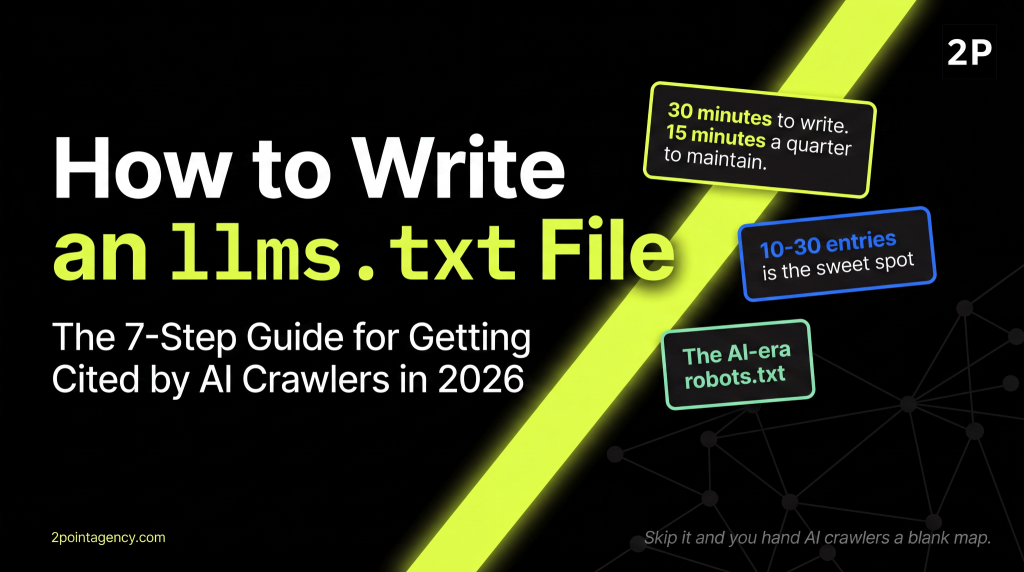
If your site doesn't have an llms.txt file yet, you're handing AI crawlers a blank map of your content. That's a problem in 2026, since llms.txt is the AI-era robots.txt, and skipping it costs citations every time ChatGPT, Claude, or Perplexity decide who to mention.
The good news? Writing one takes about 30 minutes once your hub pages are mapped.
This guide walks you through how to write llms.txt, including spec-compliant headers, the section structure models actually read, copy-paste templates, and deployment notes for WordPress, Webflow, Next.js, and Shopify.
This SEO agency playbook is built for SEOs, devs, and content leads ready to ship today.
TL;DR
An llms.txt file is a plain-text file at your domain root (yourdomain.com/llms.txt) that tells AI crawlers which content on your site is most authoritative and citation-worthy.
It uses markdown syntax, organized into sections like Docs, Examples, and Optional.
So writing one takes about 30 minutes if you follow the spec, and it gives ChatGPT, Claude, and Perplexity a clean map of your strongest pages to surface.
What Is an llms.txt File?
A Plain-Language Explanation
An llms.txt file is a curated, plain-text directory of your site's most authoritative pages, written for AI crawlers and large language models. So instead of letting them guess, you're pointing them at the URLs you want prioritized when they build responses about your brand or your topic.
In other words, it isn't access control. It's curation. You're not saying "block this." You're saying "if you're looking for the canonical version, here it is."
That distinction matters when aligning your team on what an llms.txt file actually does.
How It Differs from robots.txt and sitemap.xml
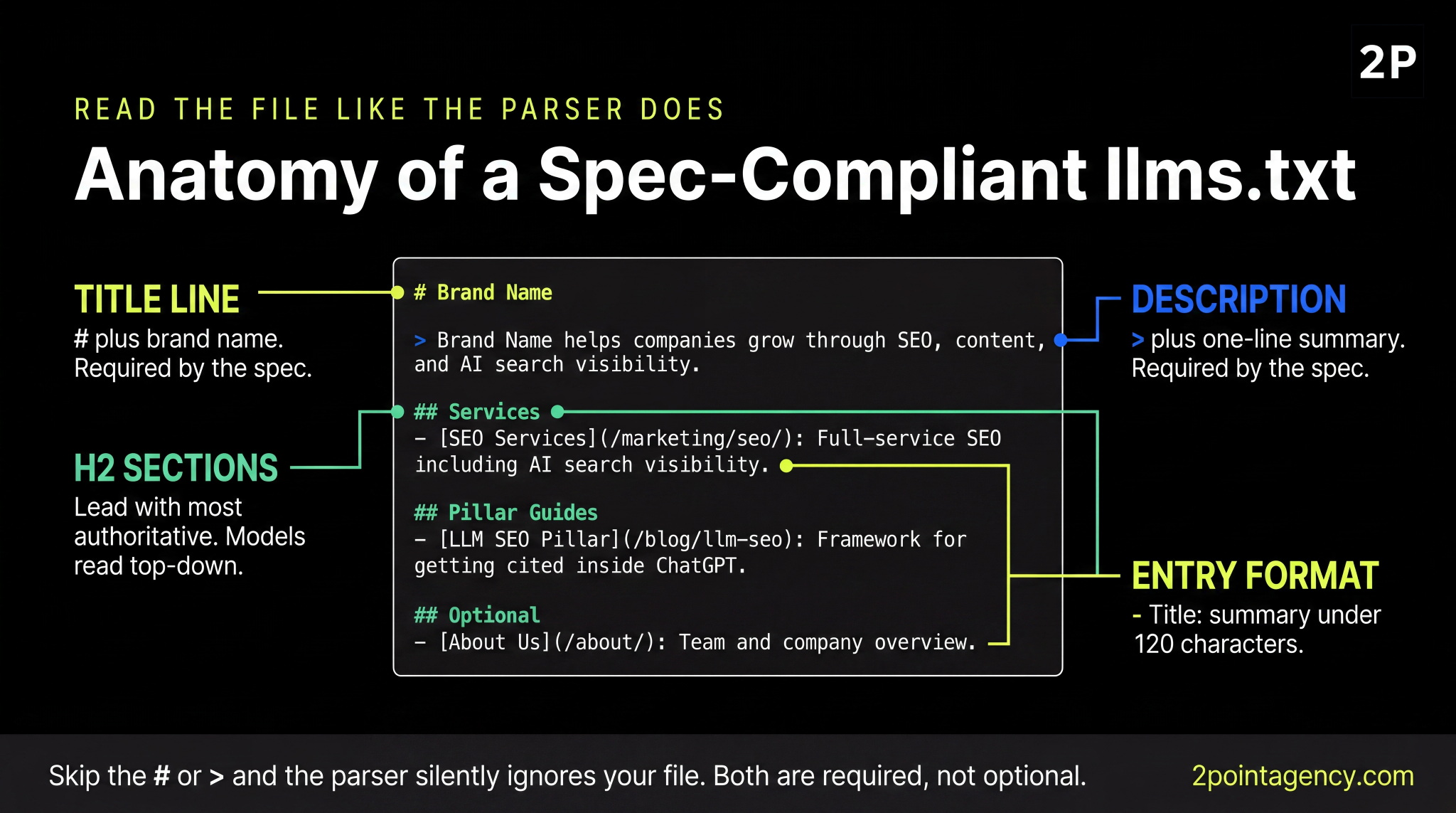
These three files often get lumped together, but each solves a different problem:
- robots.txt. Access rules for all crawlers. Allow or disallow.
- sitemap.xml. A complete URL inventory for indexing.
- llms.txt. A curated, markdown-formatted shortlist of your most authoritative content, built for AI summarization.
So most teams already publish robots.txt and sitemap.xml. The llms.txt file is the new layer that sits on top, written in markdown so both humans and machines can scan it cleanly.
Why You Should Publish llms.txt in 2026
Five reasons it earns its 30 minutes:
- Direct AI-crawler signal: It guides what gets pulled for AI citation rather than letting models guess.
- Curated authority: You decide which sub-pages represent your strongest content.
- Retrieval-friendly site documentation: It maps your information architecture in a format models can parse instantly.
- Brand differentiator: Most sites still don't have one, so your file becomes a competitive edge.
- Low effort, high upside: 30 minutes to build, 15 minutes a quarter to maintain.
The official spec frames the file as concise, expert-level information gathered in one place, since full HTML pages with navigation, ads, and scripts rarely fit cleanly inside a model's context window. That brevity is the whole point.
Who Needs an llms.txt File?
Honestly, most content-driven sites benefit from one. But here are the clearest fits in 2026:
- Marketing and agency sites with showcase services, case studies, and glossary content worth surfacing.
- SaaS and product docs sites where developer documentation is high-value AI citation territory.
- Ecommerce stores wanting to highlight category and product hub pages.
- Publishers and media sites with evergreen, authoritative pieces that hold up across queries.
That said, tiny sites with fewer than 10 pages or brand-only sites with no real content layer probably don't need one yet. So build the content first, then ship the file.
Before You Start: 4-Item Pre-Flight Checklist
Spend 10 minutes on this before you open a text editor. Get these four right and the actual writing takes 30 minutes flat:
- Map a clean hub-and-spoke content structure. If your information architecture is messy, fix that before drafting the file. Otherwise you'll be curating noise.
- Know your top 10 to 30 authoritative pages. Think pillars, cornerstone glossary entries, primary product pages, and top services. These are the URLs that earn a slot.
- Lock in stable URLs. If a migration is planned, ship that first so you aren't rewriting the file twice.
- Confirm admin or developer access to deploy a file at your domain root. No access, no file.
Skip any one of these and you'll end up redoing work. So sequence matters here.
How to Write an llms.txt File in 7 Steps
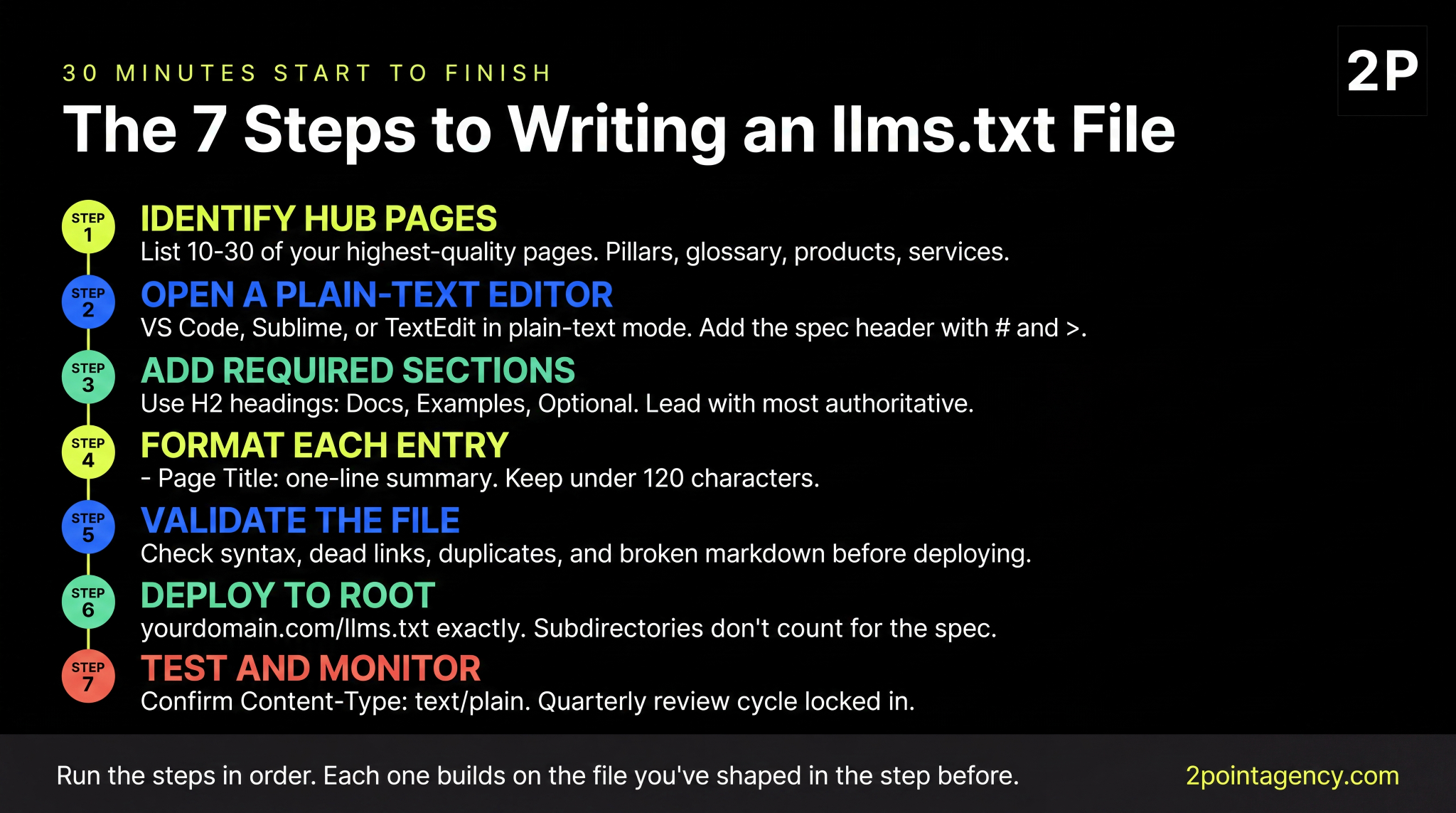
This is the core of how to write llms.txt the right way. So run the steps in order, since each one builds on the file you've shaped in the step before.
Step 1: Identify Your Authoritative Hub Pages
Start by listing 10 to 30 of your highest-quality pages. Pillars, cornerstone glossary entries, primary product pages, and top services all qualify.
From there, apply one filter: if a page is thin, outdated, or commercial-only with no editorial value, leave it out. The point of the file is curation, not exhaustiveness.
Step 2: Open a Plain-Text Editor and Add the Spec Header
Once your page list is locked, open a plain-text editor like VS Code, Sublime, or TextEdit in plain-text mode. Avoid rich-text editors, since they introduce hidden formatting that breaks markdown parsing.
From there, start the file with the spec header:
# Brand Name
> One-line description of what your brand does and why your content matters.
The # line is your title. The > line is the blockquote summary. Both are required by the official llms.txt format, so the parser won't recognize the file without them.
Step 3: Add Required Sections (Docs, Examples, Optional)
With your spec header in place, organize the rest of the file using H2 headings. The most common layout looks like this:
## Docs
- [Page Title](URL): one-line summary
## Examples
- [Page Title](URL): one-line summary
## Optional
- [Page Title](URL): one-line summary
Order matters here. So lead with your most authoritative sections, since models read top-down and weight earlier sections more heavily. The Optional block is reserved for lower-priority content the parser can safely skip when context windows are tight.
Step 4: Format Each Entry Correctly
Every entry follows the same llms.txt format:
- [Page Title](URL): one-line summary
Here's a real example for a services page:
- [SEO Services](/marketing/search-engine-optimization/): Full-service SEO including AI search visibility and technical audits.
Keep summaries under 120 characters. Lead with the page's primary value, not the brand name, since the summary is what models actually read when deciding whether to surface the URL.
Step 5: Validate Your File
Once the file is drafted, run it through an llms.txt validator before you deploy. The official spec includes a reference implementation, and several open-source tools mirror its rules. Specifically, check for:
- Syntax errors. Missing #, >, or list dashes.
- Dead links. Any URL returning a 404 or redirect chain.
- Duplicate URLs. Same page listed across multiple sections.
- Broken markdown. Unclosed brackets or malformed parentheses.
A trustworthy llms.txt validator flags every one of those before you ship, which saves you from publishing a file the parser silently ignores.
Step 6: Deploy to /llms.txt at Your Domain Root
From there, deploy the file as plain text at exactly yourdomain.com/llms.txt. Subdirectories don't count for the spec, so /docs/llms.txt or /content/llms.txt won't be discovered by AI crawlers.
Once it's live, confirm the response header reads Content-Type: text/plain. If it serves as HTML by mistake, AI crawlers will misread the file and your curation work is wasted.
Step 7: Test and Monitor
Finally, open yourdomain.com/llms.txt in a browser and confirm the file loads as plain text, not HTML. From there, set a quarterly calendar reminder to review entries, swap deprecated URLs, and add new pillars as your content grows.
That's the entire how to write llms.txt workflow in seven steps. Everything else is templating and platform-specific deployment, which the next sections cover.
llms.txt Templates (Copy-Paste)
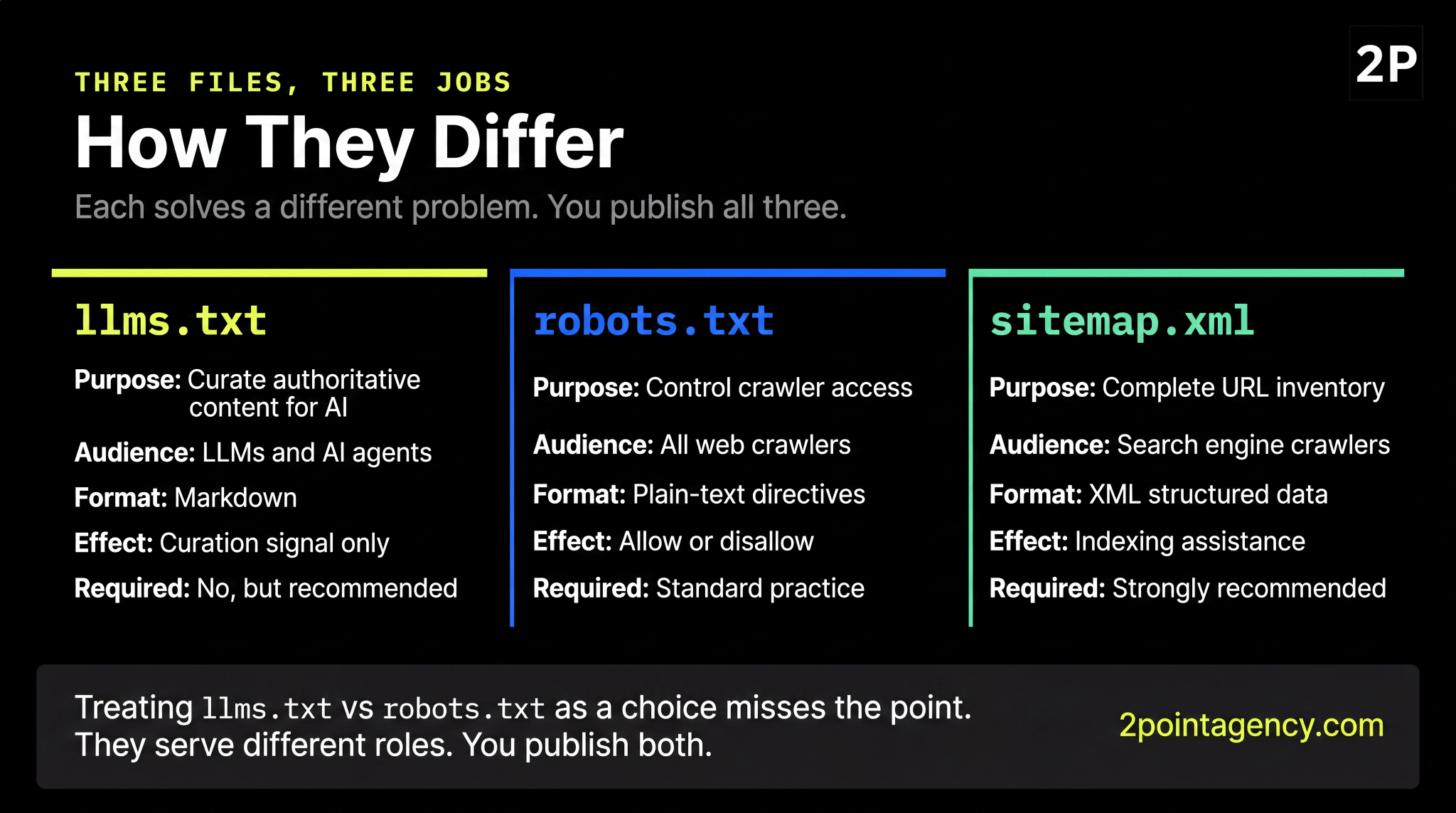
You don't need to start from scratch. Here are two skeletons that follow the official llms.txt format, so pick the one that fits your site and replace the placeholder URLs and descriptions before publishing.
Template 1: Marketing / Agency Site Skeleton
# Brand Name

> Brand Name helps companies grow through SEO, content, and AI search visibility.

## Services

- [SEO Services](/marketing/search-engine-optimization/): Full-service SEO including AI search visibility.

- [Content Strategy](/marketing/content-strategy/): Editorial planning, pillar pages, and topical clusters.

## Pillar Guides

- [LLM SEO Pillar](/blog/llm-seo): Complete framework for getting cited inside ChatGPT, Gemini, Perplexity.

- [LLM Optimization Guide](/blog/llm-optimization-ai-friendly-content/): How to make existing content AI-friendly.

## Glossary

- [What Is LLM SEO](/glossary/what-is-llm-seo/): Plain-English definition and the 5 building blocks.

## Optional

- [About Us](/about/): Team and company overview.

- [Contact](/contact/): Sales and partnership inquiries.
Template 2: SaaS / Product Docs Skeleton
# Product Name

> Product Name is a [category] tool that helps [audience] [outcome].

## Docs

- [Quickstart](/docs/quickstart/): Get up and running in 10 minutes.

- [Core Concepts](/docs/concepts/): Architecture and key terms.

## API Reference

- [Authentication](/docs/api/auth/): API keys, scopes, and OAuth flows.

- [Endpoints](/docs/api/endpoints/): Full reference for every public endpoint.

## Tutorials

- [Build a Slack Bot](/tutorials/slack-bot/): End-to-end tutorial with code samples.

## Examples

- [Sample Apps](/examples/): Open-source reference implementations.

## Optional

- [Changelog](/changelog/): Recent product updates.

- [Status](https://status.example.com): Service availability.
A working llms.txt template is the fastest way to ship version one of your llms.txt file. Iterate after. Either of the llms.txt templates above is a clean starting point you can adapt to your own site in a single afternoon.
How to Validate Your llms.txt File
Use the Official Validator
Once the file's drafted, paste the contents into the validator linked from the official spec and review the output. It catches structural issues that human eyes consistently miss, like trailing whitespace, mismatched markdown, and silently broken links.
Manual Sanity Check (5-Item Audit)
Even after the validator passes, run through this quick audit:
- Title line. Starts with # and your brand name.
- Description line. Starts with > and reads as one clean sentence.
- Entry format. Every line uses - [Title](URL): summary format.
- Live URLs. Every URL resolves with a 200, no 404s or chained redirects.
- No duplicates. No URL appears twice across sections.
So if all five pass, you're clear to deploy. If any one fails, fix it now, since the validator can't catch judgment errors that only a human reader would notice.
Test with AI Crawlers
Finally, spot-check the file's actual impact. Ask ChatGPT and Perplexity about your brand and your topic, then watch which pages show up over the next one to two weeks.
If your hub pages start appearing consistently in citations, the llms.txt file is doing its job. If they're still missing after two weeks, double-check the file's deployment path and your entity signals on Wikipedia, LinkedIn, and Crunchbase.
How to Add llms.txt to Your Site by Platform
Deployment varies by stack, but the four most common cases below cover roughly 90% of production environments. So pick yours and follow the path.
WordPress
You have two clean options.
The first is to upload the file via FTP or SFTP to your document root (usually /public_html/), then confirm it serves at /llms.txt. The second is to use a file-hosting plugin like WP File Manager or a redirect/asset plugin to serve a plain-text file at /llms.txt without touching the server.
Either path works, so pick the one your team already has tooling for.
Webflow / Framer
Both platforms restrict direct root file uploads, which makes deployment a little trickier. So upload your llms.txt as a hosted asset, then use a project-level redirect or custom code rule to map /llms.txt to the asset URL.
Once it's live, confirm the response header still reads text/plain. Webflow and Framer occasionally serve assets as HTML by default, which breaks the spec.
Next.js / Static Sites
This one's the cleanest. Drop your llms.txt into /public, and it serves directly at /llms.txt. No build config needed.
The same pattern works for Astro, Hugo, and most other static-site generators, since they all treat the /public directory (or its equivalent) as the served root.
Shopify
Upload the file as a theme asset, then route it via app proxy or custom theme code. Once deployed, confirm the Content-Type header is set to text/plain, since some Shopify themes default to text/html, which breaks the spec.
For broader implementation choices that pair well with an llms.txt rollout, our technical SEO checklist walks through the bot-access, schema, and IA decisions worth shipping alongside it.
llms.txt vs robots.txt: When to Use Each
The llms.txt vs robots.txt question comes up in nearly every implementation review. They are complementary, not competitive.
Side-by-Side Comparison
| llms.txt | robots.txt | |
| Purpose | Curate authoritative content for AI | Control crawler access |
| Audience | LLMs and AI agents | All web crawlers |
| Format | Markdown | Plain-text directives |
| Location | yourdomain.com/llms.txt | yourdomain.com/robots.txt |
| Required | No (recommended) | Standard practice |
| Effect on AI training | Curation signal only | Allow or disallow |
Use Both, Not One or the Other
robots.txt sets access rules. llms.txt curates priority content. They serve different roles, and you publish both. Treating llms.txt vs robots.txt as a choice misses the point.
Common llms.txt Mistakes (and How to Avoid Them)
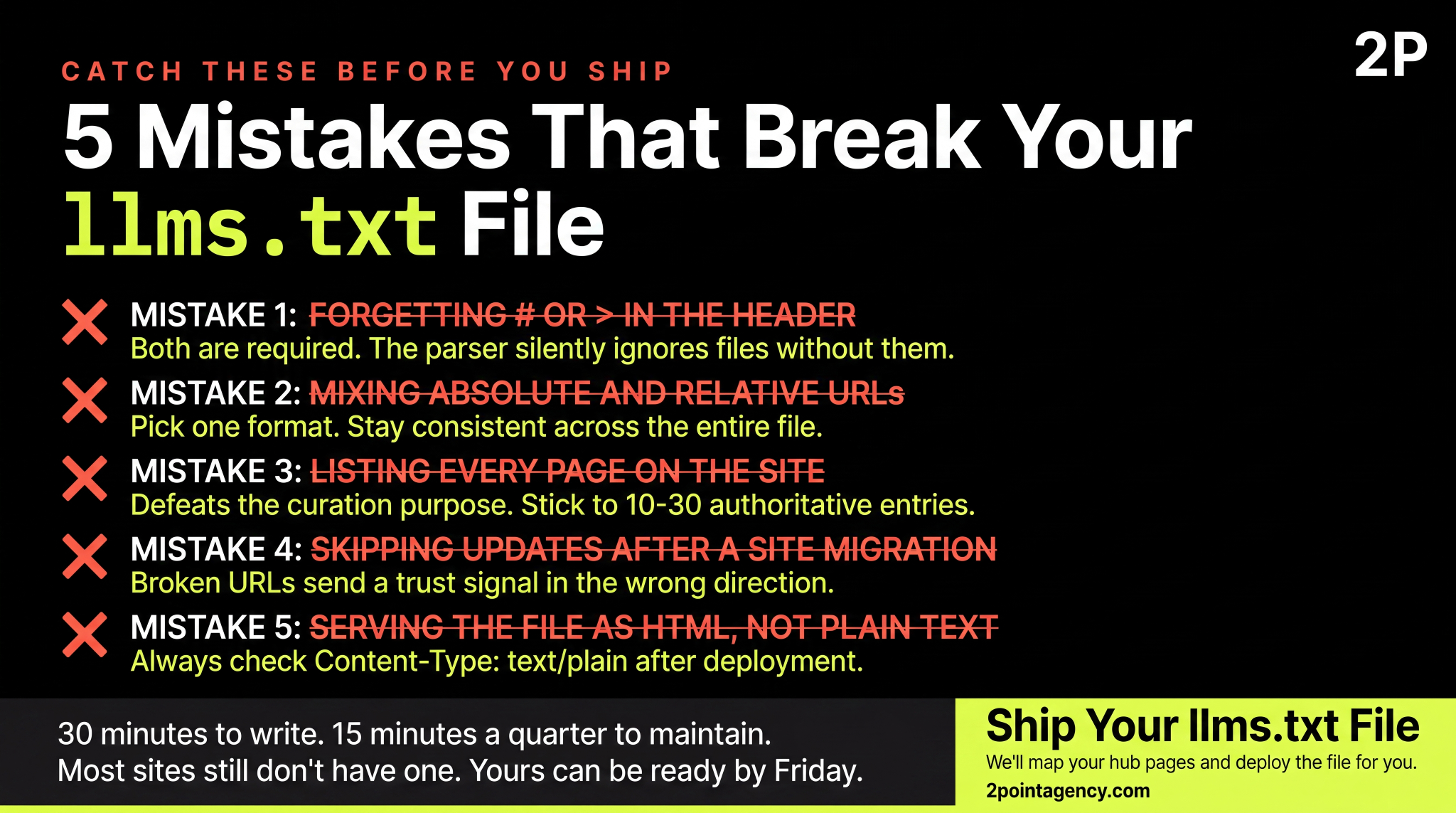
Five mistakes worth catching before you ship:
- Forgetting the leading '# ' for the title or '> ' for the description. Validators flag this immediately.
- Mixing absolute and relative URLs inconsistently. Pick one and stay consistent across the file.
- Listing every page on the site. That defeats the curation purpose. 10 to 30 entries is the sweet spot.
- Skipping updates after a site migration. Broken URLs send a trust signal in the wrong direction.
- Serving the file as HTML, not plain text. Always check the Content-Type response header after deployment.
Catch all five during your llms.txt validator run, and your file ships clean.
How to Maintain Your llms.txt File
A quarterly review cycle is the baseline. So every three months, add new pillars, remove deprecated pages, and refresh summaries that no longer match the page they describe.
Beyond that, trigger an off-cycle update after any of these:
- Major content launch. New pillar pages or product lines are worth surfacing.
- URL migration or site redesign. Old paths break the file silently if you skip this.
- Brand rename or rebrand. Title and description lines need to match the new identity.
- Schema overhaul. Structural changes to your IA usually shift which pages deserve top placement.
Version control matters too. So commit changes to a Git repo, or document them in a brief changelog at the bottom of the file, since future-you will need to know what changed and when.
Pairing this rhythm with AI-friendly content practices keeps your editorial cadence aligned with what AI crawlers actually reward.
llms.txt in the Wild: Notable Public Implementations
Two publicly verifiable llms.txt files worth reviewing for inspiration:
- Anthropic (docs.claude.com/llms.txt). A developer-docs-first structure with a slim index file paired with a longer llms-full.txt companion that holds the full documentation in markdown.
- Cloudflare (developers.cloudflare.com/llms.txt). An enterprise-product layout with sections for products, learning resources, and developer docs, where each product also gets its own scoped llms.txt.
So treat each of these as reference, not a copy-paste template. Your file should reflect your information architecture, not someone else's.
Ready to Ship Your llms.txt File?
You now have the seven steps, the spec, and the 5-item audit. So the only thing left is execution.
If you'd rather have a team handle implementation end to end, or pair llms.txt with a broader multi-channel strategy, 2POINT can map the gaps and ship the file for you.
FAQs
Is llms.txt mandatory in 2026?
No, llms.txt isn't mandatory. Major LLM vendors haven't formally committed to honoring the spec, and Google has stated publicly that no AI system uses it directly. That said, publishing costs are low, and adoption is climbing among developer-docs sites. So treat it as a compounding signal, not a guaranteed citation lever.
Will llms.txt block AI from training on my content?
No. That's robots.txt territory, plus newer mechanisms like the noai meta tag. Your llms.txt file handles curation, not access control. So if you want to opt out of training, configure robots.txt against GPTBot, ClaudeBot, and PerplexityBot, and add meta tags to gated pages.
Where do I host the llms.txt file?
Host it at the root of your primary domain, exactly at yourdomain.com/llms.txt. Subdirectories like example.com/docs/llms.txt don't count for the spec. Subdomains can host their own file if they carry distinct content. Serve it as plain text with Content-Type: text/plain, since HTML breaks the spec.
How often should I update llms.txt?
Quarterly is the minimum cadence. So trigger an off-cycle update after any major content launch, URL migration, rebrand, or schema overhaul. Sites publishing weekly may want monthly reviews so new pillars land while they're fresh. Smaller sites with stable IAs can stretch to twice a year safely.
Can I have more than one llms.txt file?
Only one canonical file at your domain root counts. From there, you can host an extended companion called llms-full.txt with deeper context and longer summaries. Most production sites follow this llms.txt example pattern, since the focused file handles indexing and the full file feeds long-context retrieval. Keep them in sync.