

 let’s connect


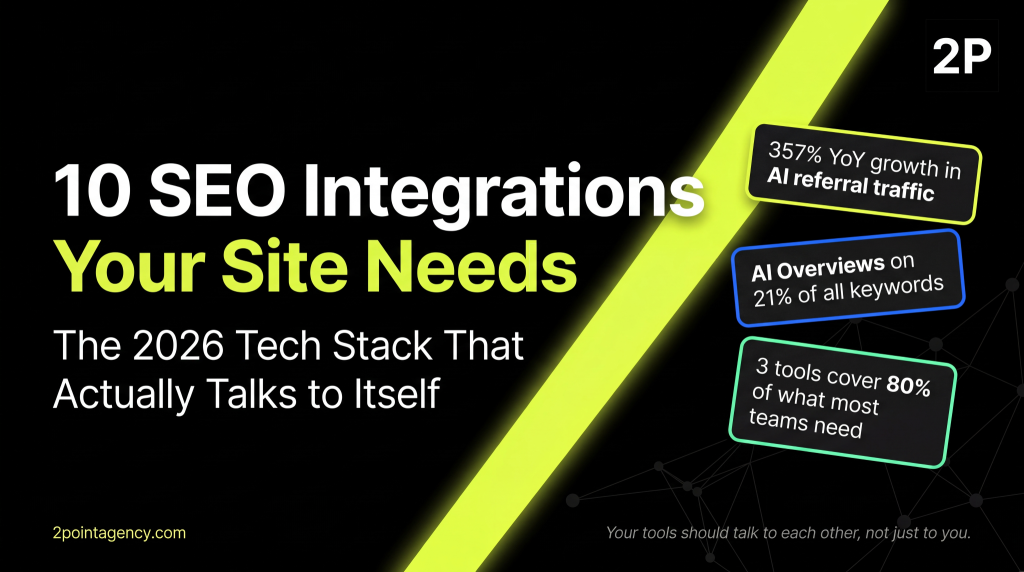
Your SEO tech stack is only as strong as its weakest connection.
In 2026, the brands winning organic search are not the ones with the most tools. They are the ones whose tools actually talk to each other. A best-in-class keyword platform sitting in a silo away from your analytics and CMS is just an expensive subscription.
The stack has also expanded. AI Overviews, LLM visibility tracking across ChatGPT and Perplexity, and a wave of new SEO software integrations have added real complexity to the modern workflow.
2POINT helps brands cut through that complexity. Here are the 10 SEO integrations your site needs in 2026.
What Counts as an SEO Integration in 2026?
An SEO integration is any tool, plugin, API, or data feed that plugs into your search workflow and exchanges information with another part of your stack. Think GA4 sending conversion data into Looker Studio, Yoast pushing schema into your CMS, or Profound feeding LLM citation data into your weekly reporting.
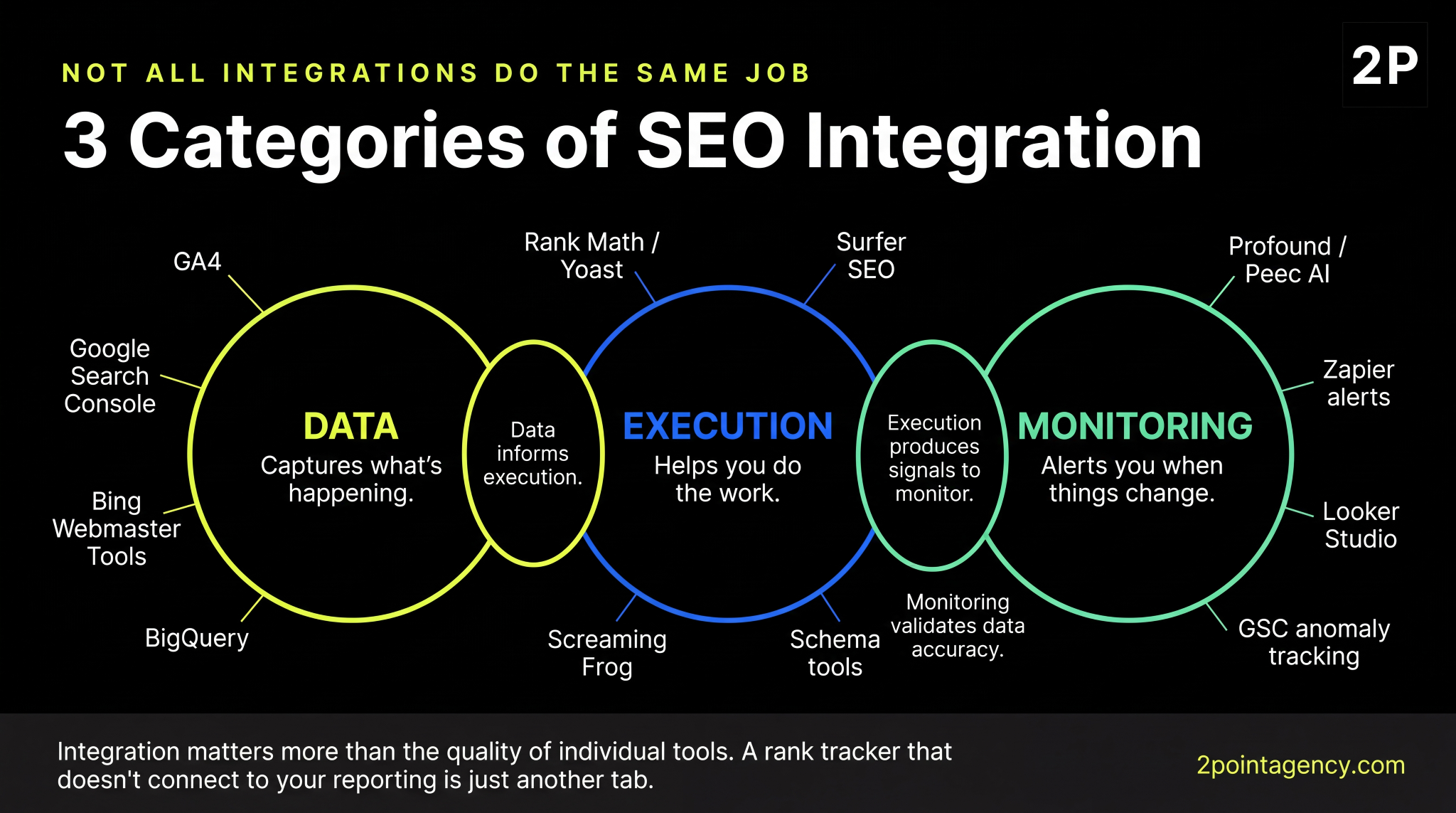
There are three categories worth knowing:
- Data integrations capture what is happening on your site and in search. GA4 and Google Search Console live here.
- Execution integrations help you do the actual optimization work. Yoast, Surfer SEO, and Screaming Frog fit this category.
- Monitoring integrations alert you when something changes, whether that is a ranking drop, a Core Web Vitals regression, or a new brand mention inside an AI Overview.
Integration matters more than the quality of individual tools. A rank tracker that does not connect to your reporting is just another tab you open, glance at, and close. The moment you wire that same tool into a Slack alert and a Looker Studio dashboard, it becomes something you actually act on.
That is the difference between a pile of subscriptions and a real SEO tech stack.
The Master Comparison Table
Here is the full picture of all 10 SEO integrations side by side. Use it as your shopping list, then dive into the sections most relevant to your stage and budget.
| Tool | Category | Best For | Entry Price | Integrates With |
| Google Analytics 4 | Data | Conversion and traffic measurement | Free | GSC, Looker Studio, BigQuery |
| Google Search Console | Data | Query, impression, and index health | Free | GA4, Looker Studio, Ahrefs |
| Looker Studio | Reporting | Unified SEO dashboards | Free | GA4, GSC, BigQuery, Ahrefs |
| Ahrefs or Semrush | Research | Keywords, backlinks, competitors | $129/mo | GSC, Looker Studio, Slack |
| Screaming Frog | Technical | Site crawls and audits | $259/yr | GA4, GSC, PageSpeed Insights |
| Rank Math (or Yoast) | Execution | WordPress on-page and schema | Free | WordPress, GSC, Schema.org |
| Surfer SEO | Content | On-page optimization scoring | $89/mo | Google Docs, WordPress, Jasper |
| Schema markup tools | Technical | Rich results and AI eligibility | Free | WordPress, Shopify, Webflow |
| Profound or Peec AI | AI visibility | LLM citation tracking | $499/mo | Slack, Looker Studio, Notion |
| Zapier | Automation | Connecting the rest of the stack | $19.99/mo | Almost everything |
This table alone is what your team needs bookmarked. Everything below is the why and the how behind each pick.
1. Google Analytics 4 (GA4)
GA4 is the foundation of every modern SEO tech stack. Without it, you cannot tie organic traffic to revenue, prove value to leadership, or make a credible case for more budget.
The good news is that GA4 integrates seamlessly with Search Console, Looker Studio, and BigQuery for teams that want SQL-level analysis.
The bad news is that most GA4 setups are half-broken. Conversion events firing twice, misclassified channel groupings, and a Search Console link that was never enabled are more common than you'd think. If your setup has not been audited, your data is likely lying to you. A proper GA4 configuration saves weeks of confusion later.
Three quick wins to chase immediately: connect GA4 to Search Console so query data appears natively in your reports, verify conversion events fire exactly once per action, and export to BigQuery if you have meaningful traffic volume.
2. Google Search Console and Bing Webmaster Tools
Search Console is the only tool on this list that gives you data straight from Google itself.
It tells you which queries your pages are ranking for, how many impressions you earned, and whether your indexing is healthy.
Bing Webmaster Tools does the same for Bing and, increasingly, for ChatGPT search results that pull from the Bing index. Together, they cost nothing and remain the most underused integrations in SEO.
The integration play is to push GSC data into Looker Studio for unified dashboards and into GA4, so query-level performance sits alongside your conversion data. As Search Engine Land's 2026 SEO tool evaluation notes, disconnected data remains the biggest barrier to linking SEO work to business attribution.
What to monitor weekly: the Performance report comparing the last 28 days against the previous 28, the Pages report for new indexing issues, and the Core Web Vitals report for regressions on your money pages.
3. Looker Studio (or Equivalent BI Layer)
Looker Studio is the connective tissue that turns isolated tools into a real reporting system. It is free, pulls native data from GA4 and Search Console, and has community templates strong enough that you do not need to build dashboards from scratch.
Once it is in place, your monthly stakeholder reports stop being a chore. You build the dashboard once, schedule email delivery, and let the data refresh automatically.
For teams outside the Google ecosystem, these alternatives are worth knowing:
- Power BI: The natural pick if your company already runs on Microsoft.
- Tableau: Scales further for teams dealing with large data volumes.
- Whatagraph and AgencyAnalytics: Popular among agencies that need multi-client SEO templates built in.
4. Ahrefs or Semrush (Pick One, Not Both)
Both tools are excellent and cover the same core ground: keyword research, backlink analysis, rank tracking, and competitive intelligence. For most teams, the honest answer is to pick one based on workflow preference.
Running both is roughly a $400 monthly tax with minimal upside, unless you are an agency serving many clients across different industries.
Ahrefs has the larger backlink index and cleaner UI for link-focused workflows. Semrush offers a broader feature set, including PPC and social tools, and a larger keyword database in the United States. 6sense's technographic data, which tracks real-world tool adoption across 55,000+ companies, puts Ahrefs at roughly 14.83% market share in the SEO and SEM category, compared with Semrush's 6.68%. Both are market leaders. Both earn their price tags.
For most teams, the tool your team will actually open every day matters more than any feature comparison. Both sit comfortably at the top of any serious SEO ranking tool shortlist for a reason.
5. Technical SEO: Screaming Frog and PageSpeed Insights
Screaming Frog and PageSpeed Insights are one of the most important pairings in your stack, and you can build them for almost nothing.
Screaming Frog costs $279 a year and crawls your site the way Googlebot does. PageSpeed Insights is free and gives you real-user Core Web Vitals data pulled directly from the Chrome User Experience Report.
What makes them work together is the combination of site structure issues and page experience signals. A slow page with a broken canonical tag is a significantly worse problem than either issue in isolation.
Run both tools at least monthly. You will catch most technical regressions that creep in during normal development cycles. A solid on-page SEO foundation makes that audit faster every time.
6. WordPress SEO Plugin: Rank Math vs Yoast vs AIOSEO vs SEOPress
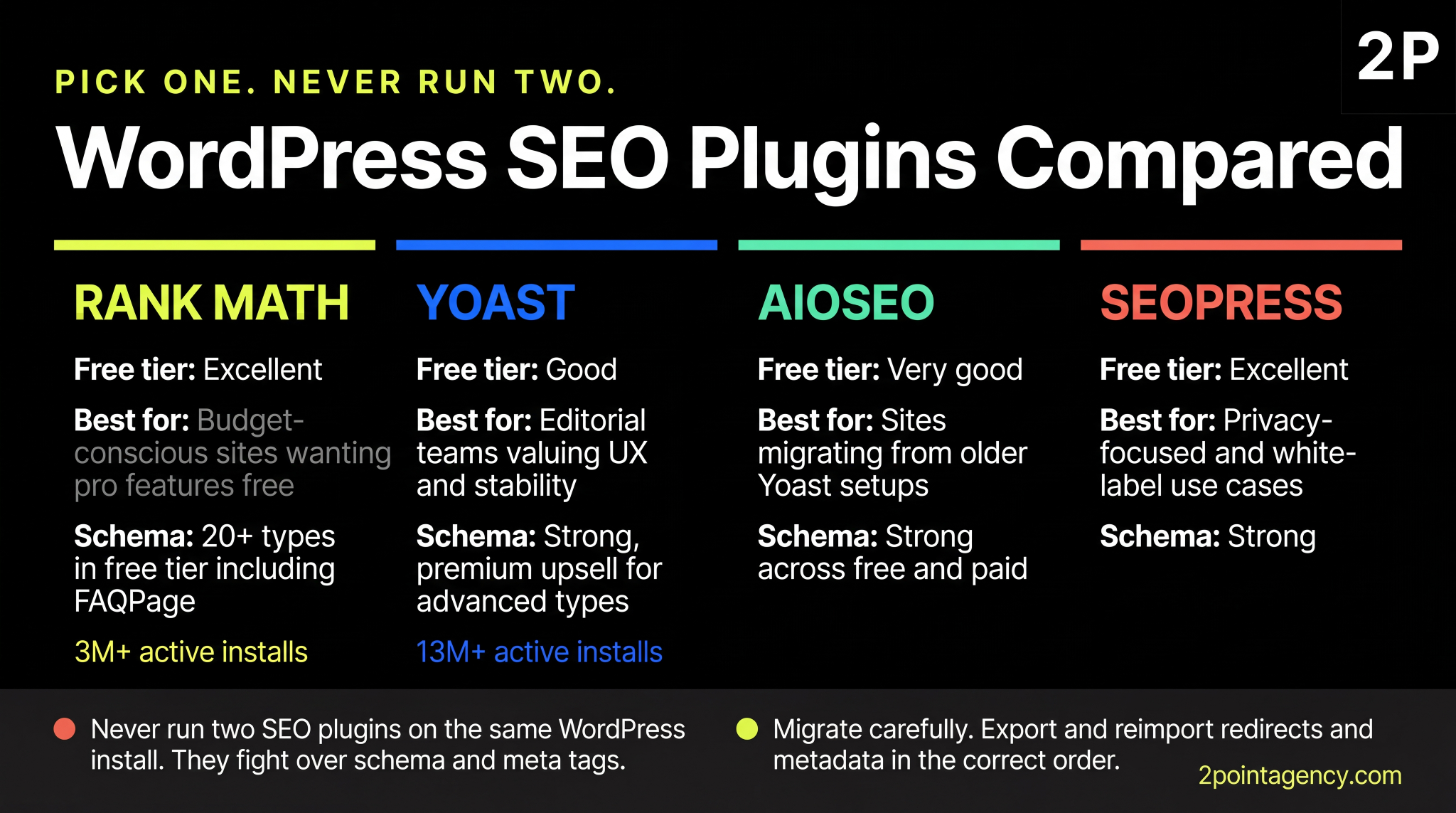
If your site runs on WordPress, this is the integration you have to get right because it touches every page you publish. The four serious contenders in 2026 are Rank Math, Yoast, All in One SEO (AIOSEO), and SEOPress.
Yoast still dominates by raw installs, with more than 13 million active installations making it the most widely deployed SEO plugin in the WordPress ecosystem. Rank Math has crossed 3 million installations with what most reviewers call a more generous free tier.
Here is the head-to-head breakdown most teams care about:
| Plugin | Free Tier Strength | Best For | Schema Support |
| Rank Math | Excellent | Budget-conscious sites that want pro features for free | Built-in, extensive |
| Yoast | Good | Editorial teams that value UX and stability | Strong, premium upsell |
| AIOSEO | Very good | Sites migrating from older Yoast setups | Strong |
| SEOPress | Excellent | Privacy-focused and white-label use cases | Strong |
A few rules to live by for SEO plugins for WordPress.
Never run two SEO plugins on the same WordPress install. They fight over schema and meta tags, producing duplicates that Google has to untangle. Migrate carefully if you are switching, since redirects and metadata need to be exported and reimported in the correct order.
On schema specifically, your choice matters. WP Rocket's comparison notes that Rank Math's free version supports over 20 schema types out of the box, including FAQPage markup, whereas Yoast's free tier is more limited.
FAQPage schema remains relevant for AI Overview eligibility even as HowTo rich results have been deprecated for most sites.
7. Content Optimization: Surfer SEO, Clearscope, or MarketMuse
Content scoring tools take the guesswork out of on-page optimization.
They scrape the top-ranking results for your target query, pull out the entities those pages share, and tell you what to add to look topically complete to Google. Three tools dominate this category:
- Surfer SEO: The most popular pick for SMBs, starting around $89 per month.
- Clearscope: The agency favorite for cleaner outputs, starting around $199 per month.
- MarketMuse: Focused on topical authority planning at scale, enterprise-level pricing.
Break-even typically hits around 8 to 10 pieces of content per month because the time saved versus manual SERP analysis adds up quickly.
One caution worth remembering: these tools are guardrails, not gospel. A Surfer score of 85 does not guarantee a ranking. Use them to cover the right entities and answer obvious sub-questions, then let your writers focus on saying something worth reading.
8. Schema Markup Tools and Validators
Schema markup is the silent advantage in 2026, particularly for AI Overview eligibility. FAQPage, Article, and Product schemas now influence whether your pages get pulled into ChatGPT and Perplexity citations.
Most of the tools here are free, making schema the best ROI in your entire stack.
The toolchain you need:
- Schema.org: The official vocabulary reference.
- Google's Rich Results Test: For validating your markup after every change.
- Merkle Schema Markup Generator: For hand-coding JSON-LD when your CMS will not cooperate.
- Rank Math or Yoast: For automatic schema injection on WordPress, with Rank Math handling more types in the free tier.
The most common mistake is marking up content that does not match what is actually on your page. Google now penalizes this more aggressively than a year ago. Your FAQ schema should reflect real on-page FAQs, and your Product schema must match the price and availability users actually see.
9. AI Visibility and LLM Citation Tracking
This is the integration category nobody had two years ago, and nobody can afford to ignore now.
AI visibility tracking tools monitor when your brand appears in ChatGPT, Perplexity, Gemini, and Google AI Overviews, showing which queries surface your name and how often you are cited compared to competitors.
The numbers justify the investment.
Pew Research found ChatGPT use among Americans roughly doubled since 2023. Similarweb recorded 1.1 billion AI referral visits in June 2025 alone, up 357% year over year. And Ahrefs' analysis of 146 million SERPs found AI Overviews now trigger on 21% of all keywords.
The tools to know are Profound, Peec AI, Otterly, and Athena HQ. Entry pricing starts around $499 per month. To make the most of this category, your content also needs to be structured for LLM consumption and AI citation eligibility.
10. Automation Glue: Zapier, Make, or n8n
Automation tools are the invisible layer that keeps your stack moving without manual intervention.
Zapier is the household name, Make is the visual builder with stronger logic, and n8n is the open-source option for teams that want to keep data in-house. Pricing starts around $20 per month for Zapier and Make, and is free for n8n if you self-host.
Three workflows worth building immediately:
- Rank drop alerts that fire to Slack the moment a tracked keyword drops by more than 5 positions.
- Content brief generator that pulls Search Console queries into a Google Doc template automatically.
- GSC anomaly detection that emails you when impressions on a money page drop more than 20% week over week.
Each takes about 30 minutes to set up and saves hours every month. You cannot scale a process you have to remember to run.
How to Pick Your Stack: A 3-Tier Approach
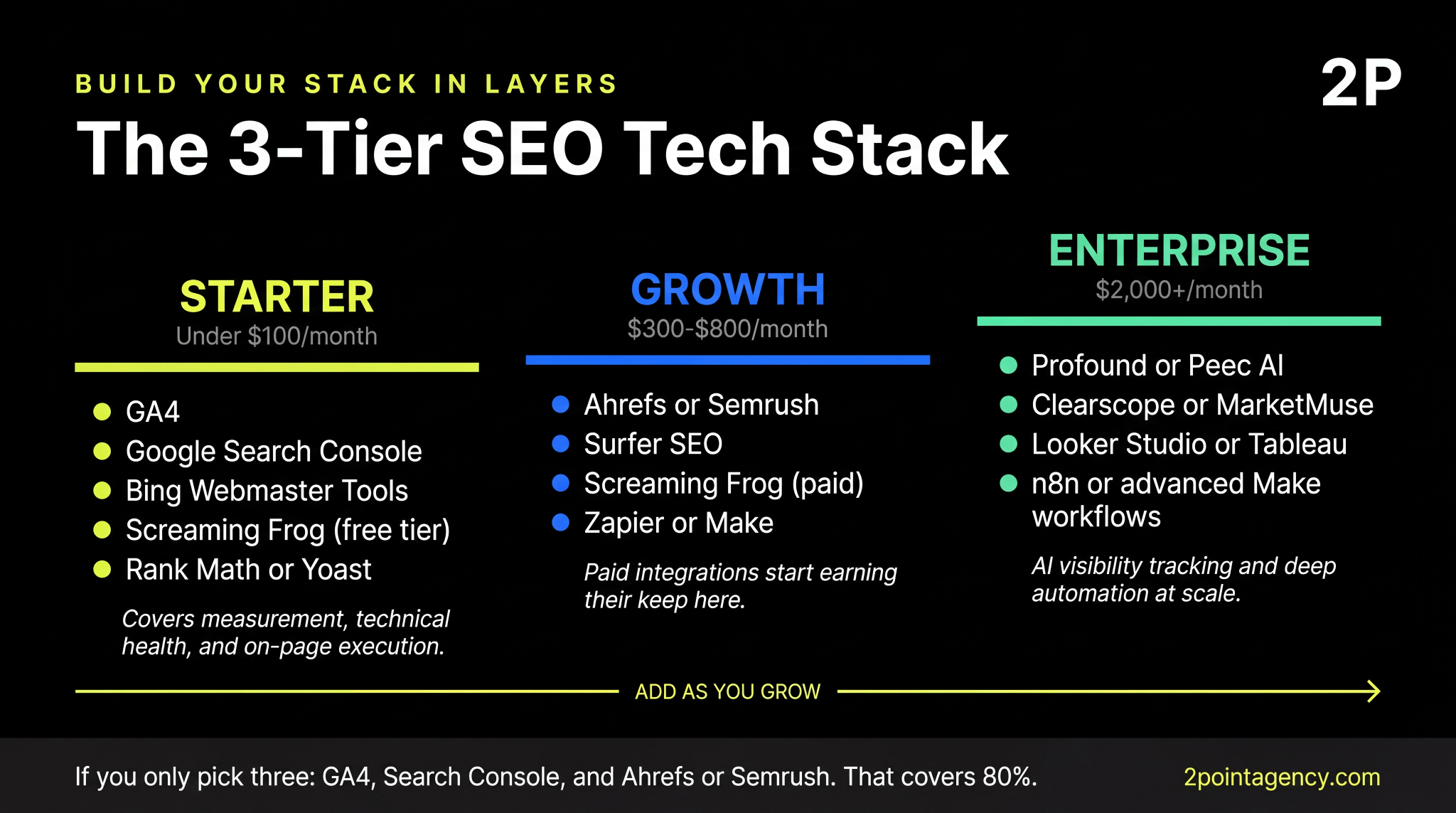
Not every site needs every tool on this list. The right SEO tech stack depends entirely on your stage and budget. Here is how to layer it:
Starter (under $100/month): GA4, Search Console, Bing Webmaster Tools, free Screaming Frog, Rank Math or Yoast, and Looker Studio. Enough to cover measurement, technical health, and on-page execution for most local and long-tail markets.
Growth ($300 to $800/month): Add Ahrefs or Semrush, Surfer SEO, the paid Screaming Frog license, and a basic Zapier plan. This is where your paid SEO integrations clearly start to earn their keep.
Enterprise ($2,000+/month): Add AI visibility tracking via Profound or Peec AI, a BI layer, deeper automation through Make or n8n, and Clearscope or MarketMuse for content optimization.
Common SEO Integration Mistakes to Avoid
Tool sprawl is the most expensive mistake teams make. Subscriptions pile up during the pilot phase, nobody cancels anything, and you end up with five tools overlapping on rank tracking. Fix it with a quarterly audit: list every subscription, what it does, and whether anyone logged in this month.
Not connecting GA4 to Search Console is the second most common miss.
It is a single click in the GA4 admin panel that unlocks query-level reporting for your conversion data. Skipping it means you are running half your reporting blind.
The newest mistake is ignoring LLM visibility tracking entirely. If you are not measuring your presence inside ChatGPT and Google AI Overviews, you are blind to one of the fastest-growing referral channels in search. Getting the basics right first is what drives real SEO ROI.
What an Integrated Stack Actually Unlocks
The real test of your SEO tech stack is what changes day to day once your tools are wired together. Here are three wins you should expect from a properly connected setup:
- Tool consolidation and budget recovery. A clean audit of your current stack usually surfaces overlapping subscriptions you can cancel without losing capability, freeing dollars for content or writers that actually move rankings.
- Earlier signals, faster reactions. When your rank tracker and Search Console feed into Slack, a five-position drop reaches your team within hours rather than at month's end.
- Reporting that runs itself. A well-built Looker Studio dashboard pulling from GA4 and Search Console turns multi-hour reporting into a quick scan, giving you time back for actual SEO work.
Final Recommendation: If You Only Pick Three
If your budget caps at three tools, go with GA4, Google Search Console, and either Ahrefs or Semrush. Together, those cover roughly 80% of what most teams actually need. GA4 handles measurement and conversion attribution.
Search Console gives you query and indexing data straight from Google. And Ahrefs or Semrush rounds it out with keyword research, backlink data, and competitive intelligence.
Add the rest as you grow. Start with Rank Math or Yoast for quick on-page wins, then layer in Looker Studio to stop reporting from eating your hours. Save AI visibility tracking and serious automation for when you are ready to spend at the Growth or Enterprise tier.
Are Your Tools Working Together, or Just Running Up Your Bill?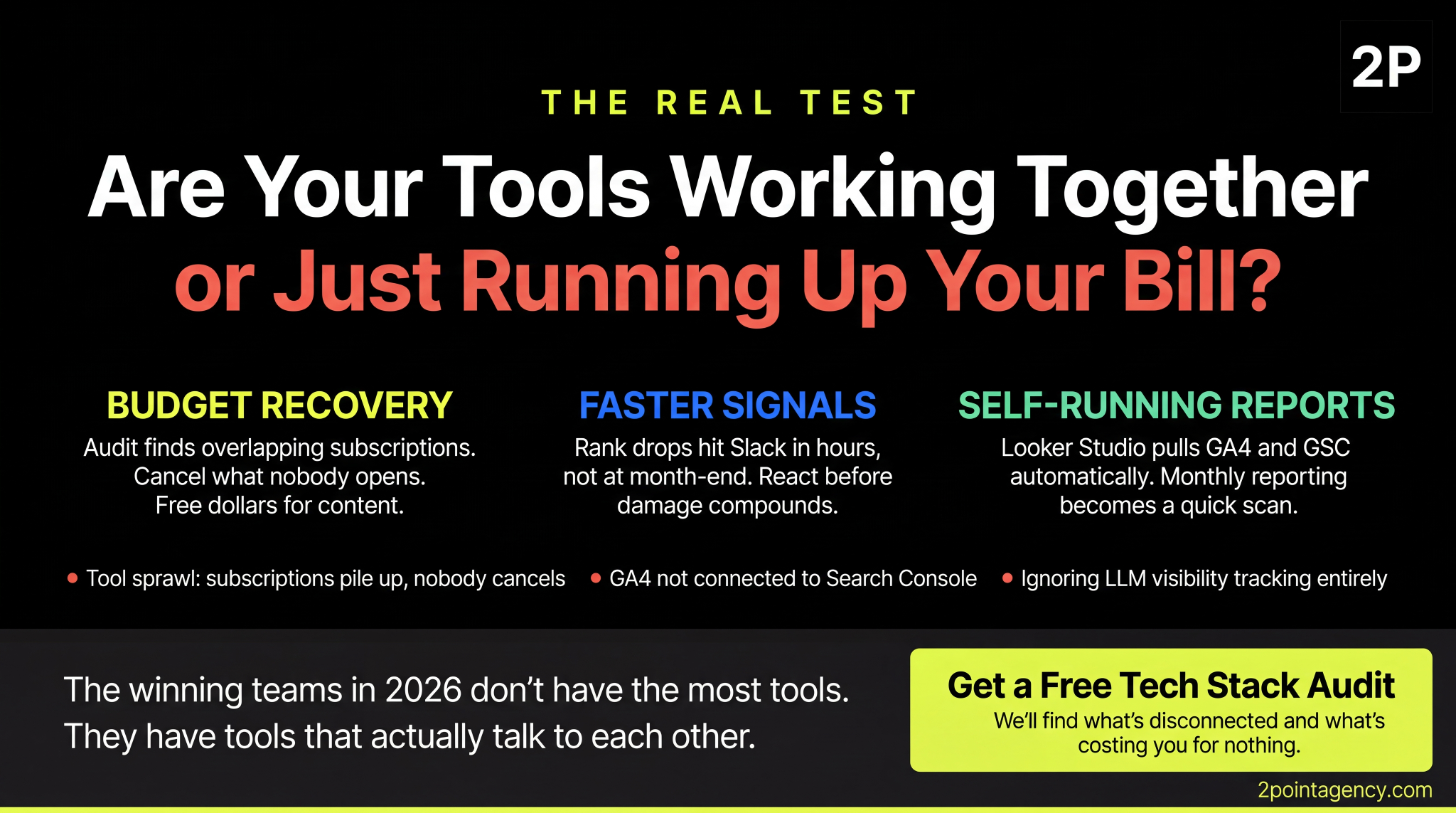
The teams winning organic search in 2026 aren't the ones with the most tools. They're the ones whose stacks are wired together so insights flow automatically into reports, alerts, and actions.
If your current setup feels disconnected, 2POINT can help. We audit SEO tech stacks, build multi-channel integrations, and connect everything to AIObot so your data actually drives decisions.
FAQs About SEO Integrations
What are SEO integrations?
SEO integrations connect your tools, plugins, and data sources into one workflow. Instead of jumping between dashboards, your SEO tech stack works together so GA4, Search Console, rank trackers, and CMS plugins share data automatically and surface actionable signals.
What is the best SEO tool stack in 2026?
The best SEO tools 2026 setup starts with GA4, Google Search Console, and either Ahrefs or Semrush. Add SEO plugins for WordPress like Rank Math, Screaming Frog for crawls, and LLM visibility tracking if AI citations matter to your strategy.
Do I need both Ahrefs and Semrush?
Almost never. Both cover keyword research, backlinks, and rank tracking with overlapping data. Pick one based on your workflow and budget. Running both is typically a $400 monthly cost with marginal upside unless you're an agency managing many clients.
What is the best WordPress SEO plugin in 2026?
Rank Math and Yoast remain the top SEO plugins for WordPress. Rank Math offers more features at the free tier including schema and redirects. Yoast has smoother UX and a longer track record. AIOSEO and SEOPress work well for privacy and white-label needs.
How do I track AI Overviews and LLM citations?
AI SEO tools like Profound, Peec AI, Otterly, and Athena HQ handle LLM visibility tracking across ChatGPT, Perplexity, Gemini, and Google AI Overviews. They monitor citation share, sentiment, and competitor mentions as part of the best SEO tools 2026 monitoring stack.
How much should I spend on SEO tools per month?
Solo sites can run a starter SEO tech stack under $100 monthly. Growing brands typically spend $300 to $800 once they add SEO software integrations like Ahrefs and content optimization tools. Enterprise teams with AI visibility tracking usually land between $2,000 and $5,000.
Can I just use free SEO tools?
You can get far with GA4, Search Console, Bing Webmaster Tools, Screaming Frog's free tier, and a free WordPress plugin. Paid SEO automation tools earn their keep once you need keyword research depth, competitive backlink data, and the best SEO tools 2026 offer for scaling.